
How Hotels and Restaurants Can Use 360° Photography
Practical ways hotels, resorts and restaurants can use 360° panoramas for rooms, dining spaces and venues, with planning tips and honest limits.
By Panorama 360 Team · · 5 min read
In this article
- Hotel rooms and suites
- Restaurants and bars
- Lobbies, reception and public spaces
- Resorts, pools and outdoor areas
- Event and meeting spaces
- Website and marketing applications
- Planning the photography
- Keeping the imagery honest
- Practical limits
- A shoot-day checklist for staff
- Describing images for everyone
- Checking whether it helps
- When a full virtual tour is appropriate
Guests judge hotels and restaurants by pictures before they ever walk through the door. A 360° panorama gives them something a still photo cannot: the chance to stand in the middle of a room and look around. This article covers where 360° imagery fits in hospitality, how to plan a shoot, how to keep the results accurate and when a full virtual tour starts to make sense. Panorama 360 is coming soon to Android and is not on Google Play yet, and the approach below applies to any phone panorama workflow.
Hotel rooms and suites
Rooms are the most obvious subject. A good panorama shows the bed, the desk or seating, the bathroom entrance and the window view in one go, so a guest can judge the size and feel of the room. For hotels with several room types, a panorama per type helps guests compare. Capture from near the centre at about chest height, and include the window so the view is represented honestly. A horizontal 360° is usually enough; use a full sphere if a ceiling feature, such as a canopy or exposed beams, is a selling point.
Restaurants and bars
Restaurants sell atmosphere as well as food. A panorama can show the layout, seating mix, lighting and décor, and whether there is a terrace or private area. Capture before service when the room is quiet, with tables set and lighting at the level you use in the evening. If your lighting changes between lunch and dinner, consider a panorama for each, because brightness and mood differ.
Lobbies, reception and public spaces
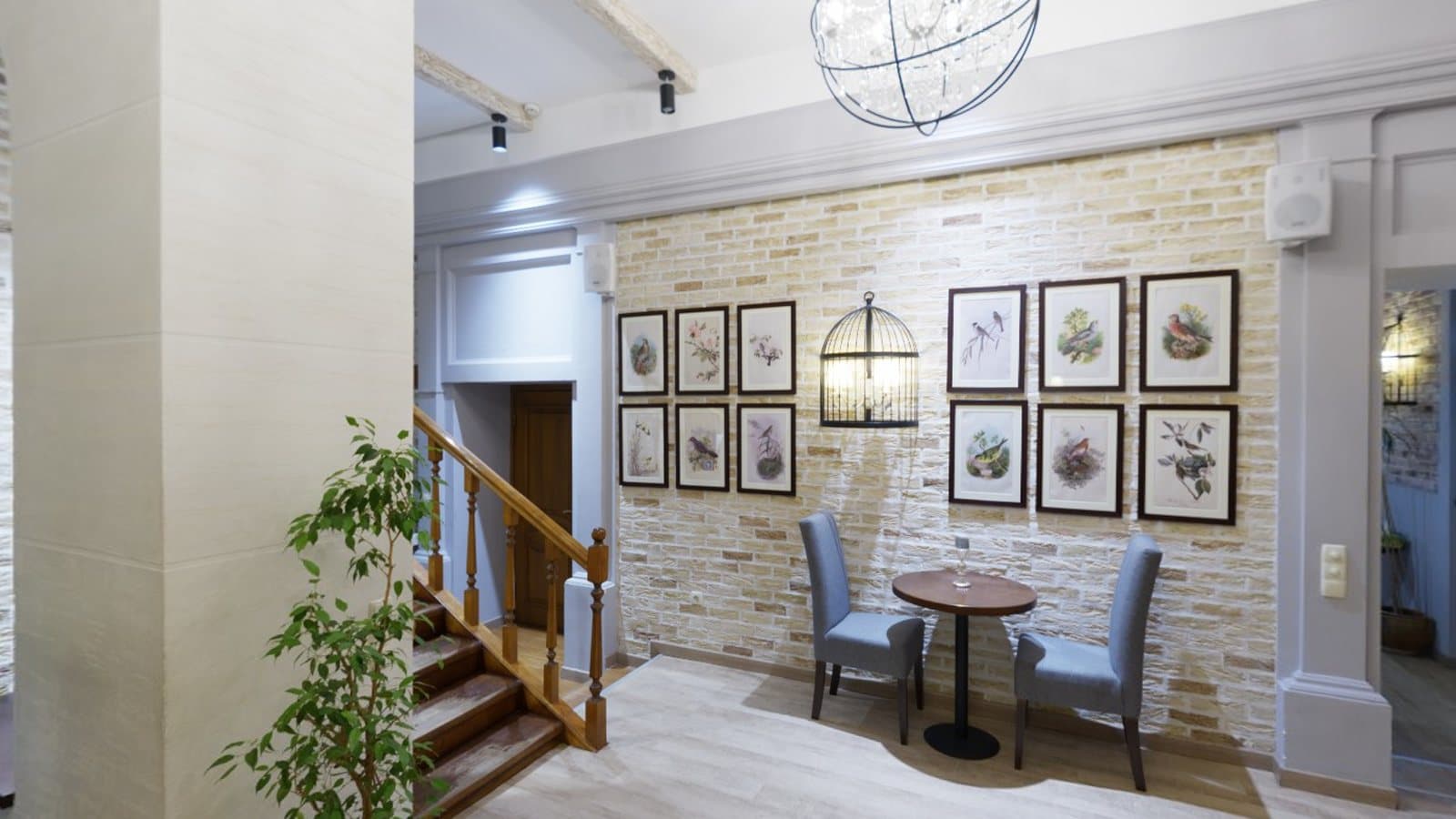
Lobbies and reception areas set expectations for the whole property. A panorama from the doorway tells arriving guests what they will see and where reception is. Include signage, seating and any accessibility features such as step-free routes or lifts, because those details help guests plan.
Resorts, pools and outdoor areas
Pools, gardens, terraces and beach access are difficult to show in a single photo. A 360° view conveys how they relate to the buildings and each other. Outdoors, most of the scene is far from the camera, which makes stitching easier, but people moving around and changing light are the main challenges. Wait for quiet moments and consistent light.
Event and meeting spaces
Planners want to know capacity and layout. A panorama from the centre of a ballroom or meeting room shows its proportions better than most photos. If you offer different layouts, such as theatre or banquet, capture one panorama for each.
Website and marketing applications
- Property pages. An interactive panorama beside the photo gallery.
- Booking and listing platforms. Where they support 360° images; check each platform's requirements first.
- Social media. Some platforms display 360° images interactively; others show a flat crop.
- Sales material. Links to panoramas in proposals for events and groups.
Remember that formats differ between platforms. Panorama 360 exports JPEGs with Google's spherical metadata, which many viewers recognise.
Planning the photography
- List the spaces in priority order: signature rooms, dining areas, entrance, outdoor areas, event spaces.
- Choose the time. Soft daylight for rooms and public spaces; operating lighting for restaurants and bars.
- Stage the space. Tidy, clean, well lit; remove clutter and personal items; set tables and beds.
- Pick consistent positions. Same height, near the centre, same starting direction per space type.
- Check the spaces for people. Capture when staff and guests are away from the overlap areas.
- Review on the spot. Retake anything with ghosting, seams or bright blown-out windows.
For capture technique, our 12 practical panoramic photography tips are a good checklist, and the hotel photography page covers specific points for hospitality.
Keeping the imagery honest
A panorama makes a space feel real, so guests will notice if it does not match. Do not exaggerate size or hide wear. If you retouch, limit changes to exposure and colour. Update the panorama after refurbishments or layout changes. If you use AI tools to write descriptions once they launch, review every claim, because AI can be wrong about details it cannot see. Panorama 360's AI Studio is planned and not available yet.
Practical limits
A phone is convenient but imperfect. Large windows next to dark interiors are hard to expose. Handheld capture can leave small seams on nearby chairs or bedposts. Moving people can be duplicated. Mirrors will show you and the phone. For flagship marketing, a professional photographer with controlled lighting may give more consistent results. For updates, social content and smaller venues, phone panoramas are often a practical, low-cost way to add 360° views.
A shoot-day checklist for staff
Hospitality teams often have little time, so a short checklist helps:
- Rooms ready and lamps on, curtains open, bathroom doors set.
- Dining rooms set with the lighting you want guests to see.
- Staff and guests briefed to stay out of the shot for a few minutes.
- Phone charged, lens cleaned, storage free.
- One person captures while another watches for people entering the overlap.
- Every panorama reviewed before the team moves on.
Describing images for everyone
If you publish panoramas on a website, add a short text description of each space. It helps people using screen readers, and it helps search engines understand the page. Mention facts you can stand behind, such as the number of beds or whether there is step-free access, and avoid claims the image cannot support.
Checking whether it helps
Treat 360° imagery as something to test rather than assume. If your site shows panoramas for some room types and not others, compare how often those pages lead to enquiries, keeping in mind that many other things change at the same time. Ask guests whether the views matched what they found on arrival. Their answers are more useful than any general claim about 360° photography.
When a full virtual tour is appropriate
A panorama shows one place. A virtual tour links several, so a guest can walk from the entrance through the lobby to the restaurant and then to a room. It is worth considering when you have many spaces guests will want to compare, when you host events and visitors want to judge layouts, or when it replaces a site visit. Panorama 360 lets you add hotspots and link panoramas by hand. The Studio plan can export linked panoramas as a tour package for you to host on your website. Hosted share links are being prepared and are not available yet. Our virtual tour page explains the difference between panoramas and tours, and how to create a virtual tour without a 360° camera outlines a low-budget workflow. If you also market properties for sale or rent, see how to take 360° photos for real estate listings.
Frequently asked questions
Do 360° panoramas increase bookings?
We cannot promise that. They can help guests understand a space before arriving, but results depend on your property, platform and image quality.
How often should I update the panoramas?
Whenever a space changes noticeably, for example after a refurbishment, new furniture or a change of layout.
Is a single panorama enough for a restaurant?
For a small dining room, one or two may be enough. Larger venues with several areas may benefit from a linked tour.
Keep reading
- 5 min readHow to Take 360° Photos for Real Estate ListingsFrom staging a room to handling windows and mirrors, here is how to capture honest, usable 360° photos for property listings with a phone.
- 5 min readHow to Create a Virtual Tour Without Buying a 360° CameraYou can build a basic virtual tour from phone panoramas. Here is the equipment, the workflow, the difference between panoramas and tours, and where the limits are.
- 5 min readHow to Take Better Panoramic Photos: 12 Practical TipsTwelve specific habits that make panoramas sharper, better aligned and easier to stitch, from how you stand to how you export.
360° Panorama Camera AppCreate a 360° Virtual Tour360° for Hotels