
360° Photography for Hotels and Resorts
How hotels, resorts and venues can use 360° panoramas of rooms, restaurants and spaces, with practical capture tips and honest limits for phone-based photography.
Panorama 360 isn't on Google Play yet.
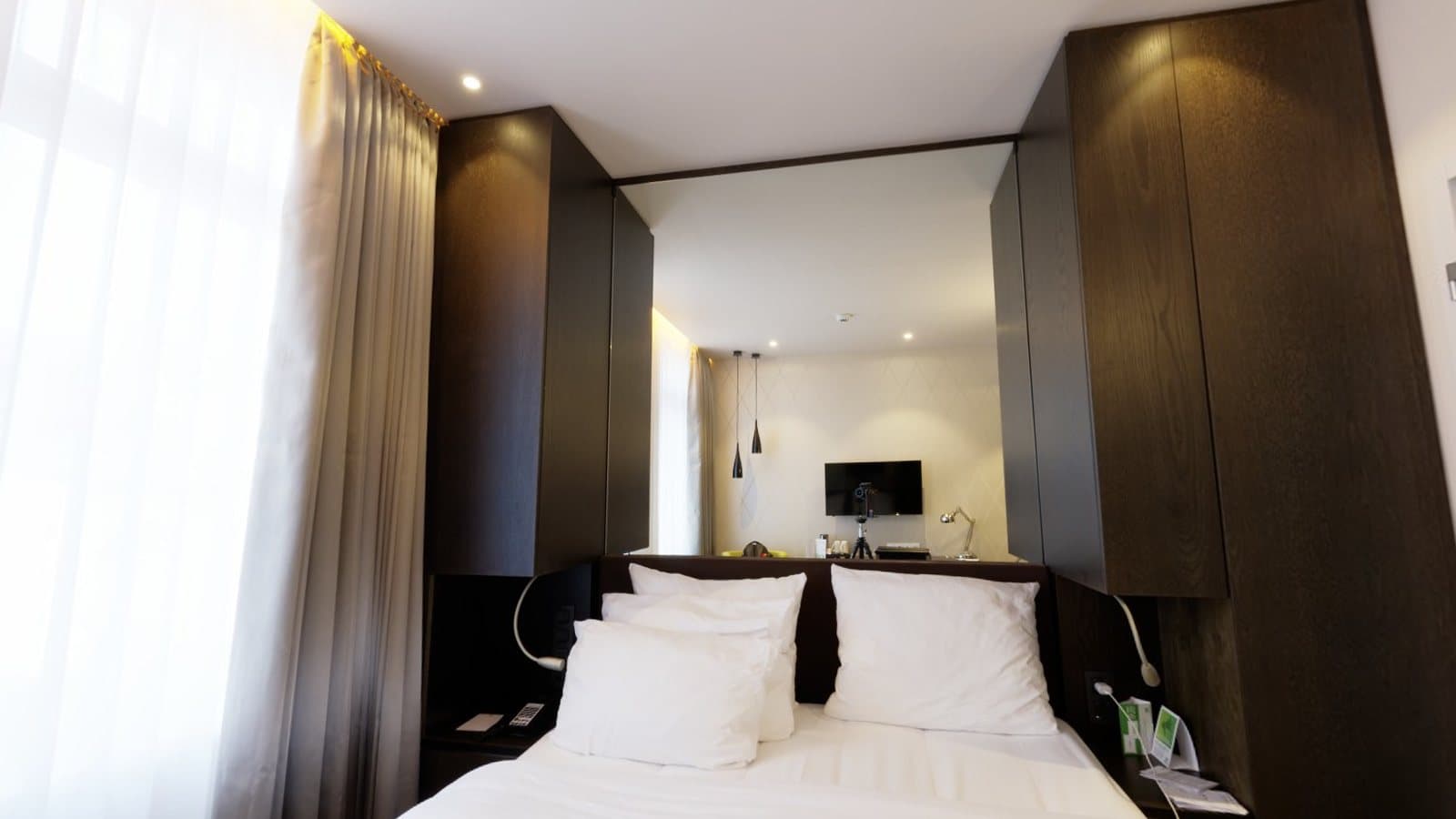
Guests choose where to stay by looking at pictures, and a 360° panorama lets them look around instead of at a single framed view. For hotels, resorts and venues, that can mean showing how a room feels, how a restaurant is laid out or how big an event space really is. This page covers how panoramas are used in hospitality, how to prepare, and what to expect from phone-based capture with Panorama 360.
Panorama 360 is coming soon to Android and is not on Google Play yet.
Where 360° imagery fits in hospitality
- Rooms and suites. Show the bed, desk, bathroom entry and window view in one place.
- Restaurants and bars. Convey the atmosphere and seating arrangement.
- Lobbies and reception. Give arriving guests a sense of the entrance.
- Event and meeting spaces. Let planners judge capacity and layout.
- Outdoor areas. Pools, terraces and gardens in a single view.
These are possible uses. We make no claim that panoramas increase bookings; results depend on the property, the booking platform and the quality of the imagery.
Preparing a space
Staging matters more than software. Make beds, straighten chairs, switch on lamps and open curtains so the room looks like a guest would hope to find it. Remove personal items and anything you would not want visible from every angle. Check bathrooms and mirrors: you and your phone will show up in reflections unless you stand off-axis.
Pick a position near the centre and about eye height. Rooms that are narrow and long give less distance to the walls, which makes small movements more visible, so give yourself as much clearance as you can.
Capturing with Panorama 360
Choose Horizontal 360° for most rooms. It is quick and covers the whole turn. Choose Full sphere when the ceiling or floor is part of the appeal, for example a vaulted ceiling, a chandelier or a feature rug.
Turn on the spot, keep the phone upright and wait for the on-screen markers before each photo. The app keeps exposure steady after the first photo, which helps when walls and curtains need to match. If something goes wrong, you can undo the last photo and retake it. Afterwards, use the editor to set the first thing guests see, straighten complete spheres and make light colour adjustments.
Consistency across a property
Guests compare rooms. To keep images consistent:
- Use the same height and distance from the walls for each room type.
- Capture at the same time of day so light direction matches.
- Start each panorama facing the same kind of feature, such as the bed or the window.
- Keep colour adjustments modest and the same across similar rooms.
- Re-shoot after renovations or furniture changes so imagery stays accurate.
Linking spaces
A single panorama shows one spot. If you want guests to move from the lobby to the restaurant to a room, you need linked viewpoints. In Panorama 360 you can add hotspots to a panorama and link it to another by hand. The Studio plan can export linked panoramas as a tour package, which is a small website you host on your own site. Hosted share links are being prepared and are not available yet. For more, see create a 360° virtual tour.
Practical limitations
Phones see less than professional cameras and offer less control over lighting. Large windows facing daylight and dark interiors in the same shot are the hardest cases. Handheld capture can leave slight seams on close objects such as chairs and bedposts. People moving through the overlap will be duplicated or cut. Always review the finished panorama at full size before publishing it, and remember that images should represent your property fairly.
For more ideas, read how hotels and restaurants can use 360° photography, and compare with our 360° panorama for real estate page if you also market properties for sale or rent. The full app description is on the 360° panorama camera app page.
Frequently asked questions
Can a phone replace a professional hotel photographer?
For some uses, such as quick updates or social posts, a phone panorama can be enough. For flagship website photography, professional equipment and lighting usually give a more consistent result.
Do I need a tripod?
You can capture handheld with Panorama 360, but a steady rotation around a fixed point gives cleaner stitching. A tripod or monopod helps keep the phone at one height and position.
Can I link rooms together into a tour?
Yes, you can add hotspots and link one panorama to another by hand. The Studio plan can export linked panoramas as a tour package for you to host. Hosted share links are being prepared and are not available yet.
Is Panorama 360 available for hotels today?
The app is coming soon to Android and is not on Google Play yet.
Keep reading
- 5 min readHow to Take 360° Photos for Real Estate ListingsFrom staging a room to handling windows and mirrors, here is how to capture honest, usable 360° photos for property listings with a phone.
- 5 min read10 Common Panorama Photography Mistakes and How to Fix ThemOverlap, movement, exposure, parallax, gaps: ten mistakes that ruin panoramas, why they happen and how to fix each one.
- 5 min readHow Hotels and Restaurants Can Use 360° PhotographyRooms, dining rooms, terraces and event spaces all suit 360° views. Here is where they help, how to plan the shoot and when a full virtual tour makes sense.
360° Panorama Camera AppCreate a 360° Virtual Tour360° for Real Estate